Comparison Guide

Seedream 5.0 Pro vs Nano Banana Pro

Seedream 5.0 Pro and Nano Banana Pro can both support AI image generation and editing, but they fit different workflows. Seedream 5.0 Pro is a focused browser workspace. Nano Banana Pro is a Gemini image model path for users who prefer Google product surfaces.

This guide compares them by workflow, references, text in images, output planning, commercial use, and how to test both options with the same prompt.

Seedream 5.0 ProLast updated: June 30, 20268 min read

Quick verdict

The short answer

Choose Seedream 5.0 Pro for a focused Seedream browser workflow. Choose Nano Banana Pro when Gemini or Google product integration is the main requirement.

Choose Seedream 5.0 Pro for a focused Seedream workflow

Seedream 5.0 Pro is the better fit when you want a direct browser page for Seedream-style images, prompt examples, reference uploads, 2K drafts, 4K final output, and credit-based production planning.

Choose Nano Banana Pro for a Gemini workflow

Nano Banana Pro is a strong choice when your image work already lives inside Gemini, Google AI Studio, Google Ads, or another Google product surface.

The practical difference

Seedream 5.0 Pro is easier to judge as a standalone image generator page. Nano Banana Pro is easier to choose when your team wants Gemini-centered image generation and conversational editing.

Detailed comparison

Seedream 5.0 Pro vs Nano Banana Pro feature matrix

This table compares the two options by user intent and production workflow, not by unsupported quality rankings.

CategorySeedream 5.0 ProNano Banana Pro
Primary roleBrowser-based Seedream image generation and editing workflowGoogle Gemini image generation and editing model
Best forCreators, marketers, ecommerce teams, designers, and content teams producing finished assetsGemini users, Google AI Studio users, advertisers, and teams already working inside Google products
WorkflowPrompt, upload references, choose settings, generate, refine, and export from this siteGenerate and edit through Gemini or Google product surfaces depending on access path
Reference imagesUseful for product identity, style, object preservation, layout, and revision planningGoogle positions Gemini image generation around text and image inputs for creating and editing visuals
Text in imagesUseful for posters, ads, labels, multilingual layouts, and campaign visualsGoogle highlights legible text and multiple languages for Nano Banana Pro
Resolution planningClear 2K draft and 4K final output planning on this siteOutput and access details depend on the Gemini or Google product surface used
Commercial workflowCredit packs, pricing page, refund policy, support email, and commercial-use context are visible on this siteCommercial use depends on Google account, product surface, and current terms
When to chooseYou want a focused Seedream production workflowYou want Gemini-native image generation and editing

Best use cases

When each option makes sense

The right choice depends on whether you need a ready Seedream page or a Gemini-centered image workflow.

Product and ecommerce visuals

Use Seedream 5.0 Pro when you want a focused page for product images, references, 2K drafts, and final 4K exports. Use Nano Banana Pro when your team wants Gemini-connected image generation close to other Google tools.

Google ecosystem workflows

Nano Banana Pro is a natural fit when the image is part of a broader Gemini, Google AI Studio, or Google Ads workflow. Seedream 5.0 Pro is a cleaner fit when the buyer wants a standalone Seedream image generator page.

Poster, ad, and multilingual text tests

Both options should be tested with prompts that include a headline, short CTA, product placement, and multilingual text. The winning workflow is the one that produces readable output with fewer manual corrections.

Core explanation

Seedream workflow vs Gemini ecosystem

Seedream 5.0 Pro and Nano Banana Pro can overlap in image generation, but they are shaped by different product contexts.

What is Seedream 5.0 Pro in this comparison?

Seedream 5.0 Pro is a focused browser workflow for creating finished images with prompts, references, 2K drafts, 4K final output, and credit-based production planning. It is designed for people who want to move from a brief to a usable visual without deciding how a model should be integrated into a larger platform. For ecommerce teams, marketers, social teams, and designers, that practical workflow can matter as much as raw model capability.

What is Nano Banana Pro in this comparison?

Nano Banana Pro should be understood as a Gemini image generation and editing path. It is strongest when the buyer already works inside Gemini, Google AI Studio, Google Ads, or another Google product surface. That makes it a serious alternative for teams that want image generation close to their existing Google workflow. It may be less direct for users who only want a standalone Seedream-focused image page with examples, credits, and output planning.

The real difference is ecosystem fit

The most useful way to compare Seedream 5.0 Pro vs Nano Banana Pro is to ask where the image work should live. If your team wants Gemini-native generation, conversational iteration, and Google product access, Nano Banana Pro may fit better. If your team wants a focused Seedream page for product images, posters, references, and final exports, Seedream 5.0 Pro is easier to evaluate and repeat. The better choice depends on the workflow around the image, not only the image itself.

Testing workflow

How to test Seedream 5.0 Pro vs Nano Banana Pro fairly

Use the same prompt, same reference material, and same revision request so the comparison measures workflow quality instead of random prompt luck.

01

Test a product image with the same reference

Use the same product photo, same prompt, and same aspect ratio in both workflows. Ask for a clean product poster or ecommerce hero. Compare whether the product shape, material, label placement, and color stay stable after generation.

02

Test text readability with a real poster prompt

Nano Banana Pro is often discussed around text and multilingual image work, so the fairest test should include text. Ask both tools for a short headline, a smaller subheading, and a call-to-action area. Compare whether the text is readable and whether the layout leaves enough room for real ad copy.

03

Test one revision before deciding

A first draft is not enough. Ask both workflows to keep the subject but change the background, make the headline larger, or move the product to the left. A strong commercial workflow should preserve the useful parts of the image while following the revision request.

Commercial decision

Pricing, ecosystem, and production planning

The better option is the one that fits how your team buys, repeats, revises, and publishes AI images.

Choose Seedream 5.0 Pro when you want a direct production page

Seedream 5.0 Pro is a better fit when the buyer wants to create images from a page built around the image workflow itself. The value is in the visible process: examples, prompt structure, reference use, draft testing, output settings, pricing, and final export planning. That makes it easier for a non-technical user to decide whether the tool can support a campaign or client task.

Choose Nano Banana Pro when Google is already the workspace

Nano Banana Pro is a better fit when the buyer wants image generation close to Gemini or other Google tools. If the team already writes briefs, studies outputs, or runs ads inside Google product surfaces, a Gemini-centered image workflow can reduce context switching. That ecosystem advantage is real, but it should be weighed against whether the user needs a standalone Seedream-style production page.

Compare the cost of final usable images

The practical cost of AI image generation is not only the cost of one render. It includes failed drafts, revision time, text cleanup, manual editing, and whether the final file fits the channel. When comparing Seedream 5.0 Pro vs Nano Banana Pro, count how many attempts it takes to create one product image, one poster, and one reference-guided edit that you would actually publish.

Prompt examples

Prompt examples for Seedream 5.0 Pro vs Nano Banana Pro

The input material and Seedream 5.0 Pro output are reused from the existing comparison set. Nano Banana Pro outputs are shown with the provided same-prompt comparison assets.

Clay-style cafe ad

Input material
Clay-style cafe ad input reference

Prompt direction

Place them in the scene from image 4, drinking coffee at the same table. Show two people seated together, talking and laughing. Use a clay animation style, with the polished feel of a cafe advertisement.

This prompt tests reference use, scene transfer, character placement, and ad-style polish.

Seedream 5.0 Pro output
Clay-style cafe ad Seedream 5.0 Pro output
Nano Banana Pro output
Clay-style cafe ad Nano Banana Pro output

Style transfer set

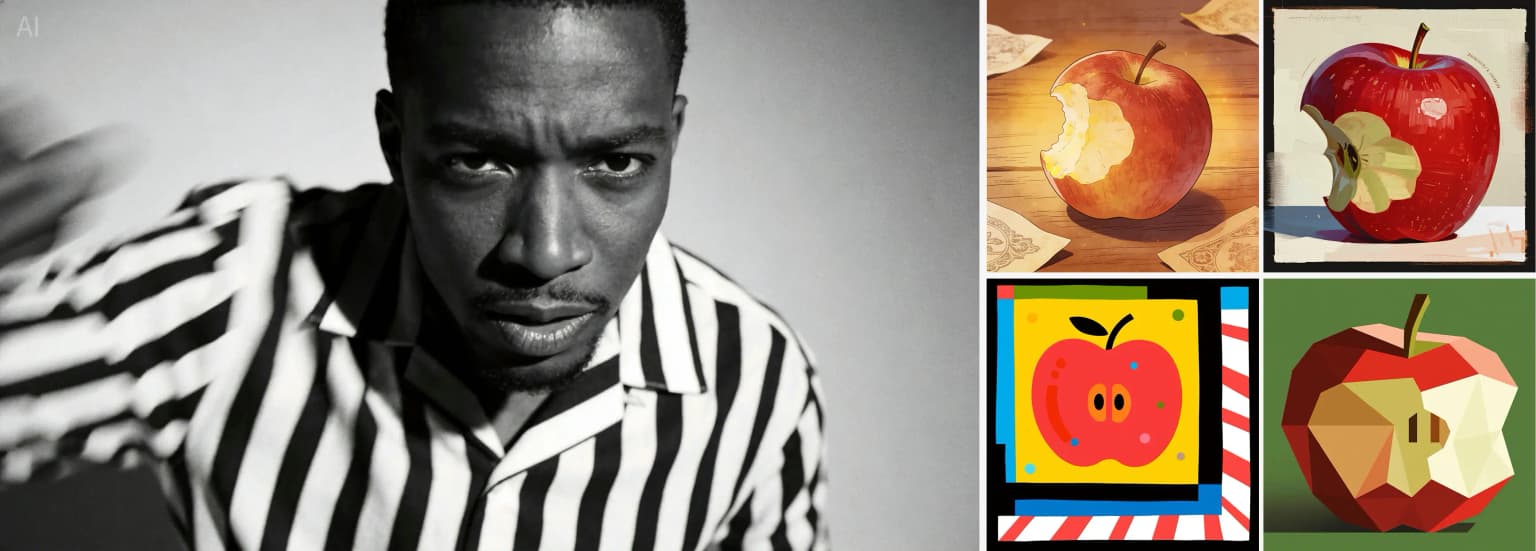
Input material
Style transfer set input reference

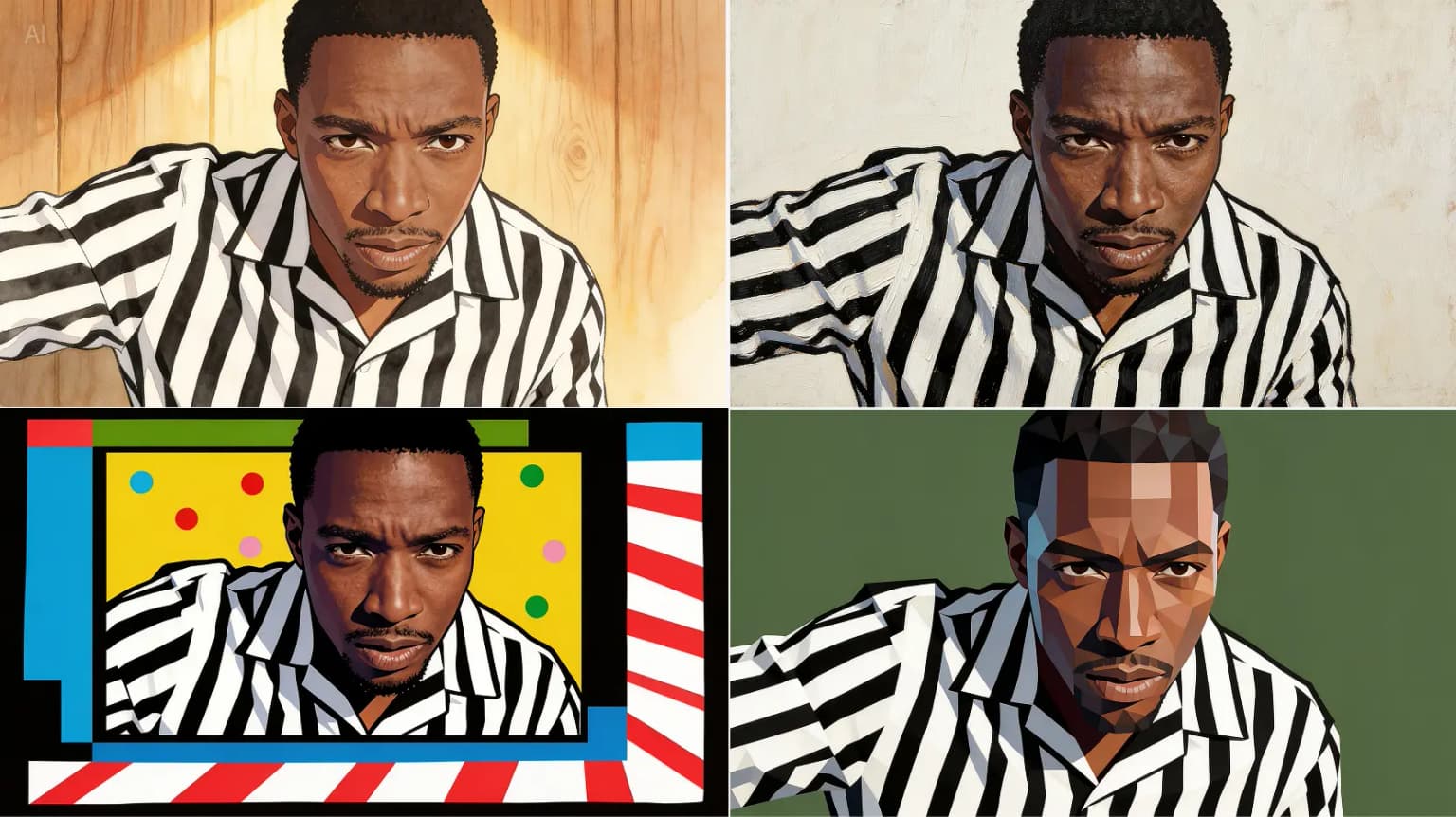
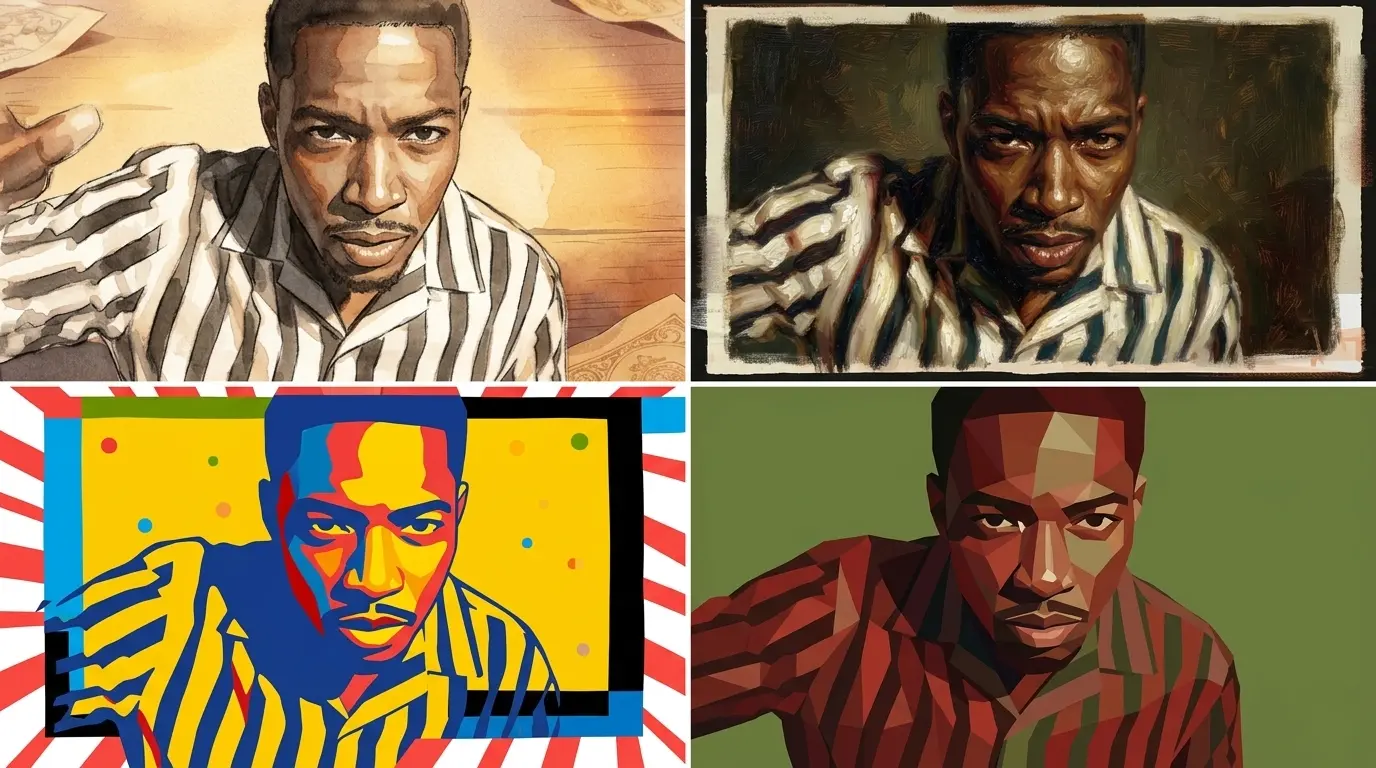
Prompt direction

Use the four style references on the right. Redraw the man in each referenced style and return four matching images, one image for each style. Keep the same male subject while changing only the visual style.

This prompt tests whether the tool can follow multiple style references while preserving the same subject.

Seedream 5.0 Pro output
Style transfer set Seedream 5.0 Pro output
Nano Banana Pro output
Style transfer set Nano Banana Pro output

Floral arrangement composite

Input material
Floral arrangement composite input reference

Prompt direction

Create a floral arrangement using the flowers from images 1 to 6. The number of flowers is flexible, and you may add extra leaves or foliage for balance. Place all flowers into the vase from image 7, then put the vase on the table from image 8.

This prompt tests object composition, reference selection, and final scene construction.

Seedream 5.0 Pro output
Floral arrangement composite Seedream 5.0 Pro output
Nano Banana Pro output
Floral arrangement composite Nano Banana Pro output

FAQ

Seedream 5.0 Pro vs Nano Banana Pro FAQ

Short answers for users comparing a focused Seedream workflow with a Gemini image model path.

Is Seedream 5.0 Pro better than Nano Banana Pro?

It depends on the workflow. Seedream 5.0 Pro is better when you want a focused Seedream browser page for prompts, references, credits, and export planning. Nano Banana Pro is better when you want Gemini-native image generation and editing inside Google product surfaces.

Which tool should I use for commercial images?

Use Seedream 5.0 Pro when you want a visible pricing and credit workflow for finished images on this site. Use Nano Banana Pro when your commercial process already depends on Gemini, Google AI Studio, Google Ads, or another Google product path.

How should I test Seedream 5.0 Pro vs Nano Banana Pro?

Run the same product prompt, reference-guided edit, poster prompt, and multilingual text prompt in both workflows. Compare the first draft, one revision, text readability, reference preservation, export readiness, and total effort.

Does Nano Banana Pro replace Seedream 5.0 Pro?

Not for every user. Nano Banana Pro can replace part of the model workflow for Gemini users, but Seedream 5.0 Pro remains a focused browser workflow for Seedream-style production images.

Test Seedream 5.0 Pro with your own Nano Banana Pro prompt

Use the same brief in both workflows, then compare the first draft, one revision, and the final file you would actually publish.