I ran SenseNova U1.5 Lite for a full weekend of testing, and the short version is this: it is the easiest genuinely good open-source image generator I have set up this year, and it does things most open models simply do not — crisp, legible text rendering, native 4K-range output, and honest-to-goodness image editing that keeps your subject intact. The catch is that the flagship "interleaved tutorial" mode is so memory-hungry that it needs a layer-offload mode and roughly 38 GB of VRAM, and small/incidental text (book spines, background inscriptions) still comes out as convincing-looking gibberish.
If you want an open image model that you can actually use for posters, infographics, product shots, and targeted photo edits without chaining together a custom node workflow, this is the one to try. If you need pixel-perfect small text or a light, fast pipeline on a lower-VRAM card, keep reading — there are boundaries you need to know about.
What I tested and why it matters
SenseNova U1.5 Lite (officially SenseNova-U1.5-8B-MoT) is a "native unified multimodal" model from SenseTime's OpenSenseNova team, released under Apache 2.0. The interesting architecture claim is the NEO-unify design, which removes both the visual encoder (VE) and the variational auto-encoder (VAE) from a text-to-image pipeline. That has two real consequences you can feel: the model reasons and generates in one sequence, and it can do image editing and interleaved text-and-image generation with a single checkpoint, not a stack of adapters.
I did not want to review a README, so I built a claim-to-test matrix from the official release notes and then generated a set of real outputs for every claim, measuring each run. Here is what I actually ran, with real timings:
| Direction | What I asked for | Result |
|---|---|---|
| Baseline quality | Official portrait prompt (18th-century man, red cloak, medals, classical ruins) | Photoreal, coherent, high fidelity (see below) |
| Reasoning / "think" | The official peacock example with --think |
A visible reasoning chain + a matching image |
| English typography | "PARIS, FRANCE / City of Light / EST. 250 BC" travel poster | All three lines legible and correct |
| Complex instruction | exactly 3 cups, 2 stacked books, 1 vase | All counts and layout honored |
| High resolution | 3:1 (3456×1152) cinematic valley panorama | Coherent, detailed, no seams |
| Editing | Recolor the left person's jacket to bright yellow | Jacket recolored; subject/background preserved |
| Editing + preservation | Change floor to stone tiles, preserve people/furniture | Change applied, people/frames held |
| Interleaved guide | "Illustrated tomato-and-egg tutorial" | 7 images + 6-step guide (needed layer offload) |
| Visual understanding | "Recommend dishes for 2 from this menu" (with image) | Structured, sensible menu recommendation |
Every one of these is a real generated file from a real run on the target GPU. I'll walk through the evidence, then give you the numbers, then where it breaks.
Real test evidence
Each generated sample is shown once in the Generated works table below; this section explains what each result tells you.
Base image quality
The official quick-start prompt is a good torture test for coherence and realism. On a 2048×2048 canvas with the default 50 steps and CFG 4.0, the model returned a genuinely convincing 18th-century formal portrait. The cloak, the medals, the blue sash, the wig, the scroll, the classical temple ruins — all coherent, no grid artifacts, no broken anatomy. This is the level I'd happily use for editorial illustration. One note: the "inscriptions" engraved in the column at upper-left are faux Latin gibberish ("MENIARDL / TLARBL RDIN / IOYAAS…"). The model was asked for a landscape with inscriptions, and it rendered text-like marks that are not real words. That is a genuine, reproducible limitation, and it matters if you need decipherable text in a scene.
Reasoning before generating ("think mode")
The model can spend a pass "thinking" about the scene before it draws. I turned this on for the official peacock example and asked it to write its reasoning out. The printed chain shows the model plans the shot — "Peacocks display their iridescent tail feathers in a fan shape to attract females … natural lighting … realistic photograph … standing in a garden" — and the resulting image actually follows that plan. For hard compositional prompts this is a real quality lever: you get a reasoned plan you can inspect, and a result that matches it.
Text rendering
This is where the model genuinely surprised me. Text rendering is historically the weakest point of open image models, but U1.5 Lite handled a clean typography brief well. I gave the poster exact copy only. "PARIS, FRANCE", "City of Light", and "EST. 250 BC" all came back legible with the right hierarchy, on a clean Eiffel Tower poster. This is the strongest single capability of the model. The caveat, as the official notes say, is that dense, lengthy, small, or mixed text can still have errors — and non-primary text (book spines, background signage) tends to come out as realistic-looking nonsense.
Complex instruction following
To test whether it really honors multiple simultaneous constraints, I asked for a still life with exact counts and spatial rules: "exactly three white ceramic cups, two hardcover books stacked directly on top of each other, and a single small vase with pink flowers." It produced three cups, two stacked books, one vase of pink flowers, on a rustic table with warm light. The count and layout constraints held. (The book-spine lettering is gibberish again — same text limitation.)
High-resolution / 4K-range generation
The model is trained on resolution buckets up to 16.7M pixels; I ran a 3:1 bucket at 3456×1152. The panoramic sunrise over a misty mountain valley came back structurally coherent — layered ridges, atmospheric haze, a village in the valley floor, golden rim light — with no seam or banding. I could not push to a true 4K×4K canvas in full-res mode within comfortable margins, but the 3:1 high-res outputs I did generate were clean and consistent — that is the practical "4K-range" story for a single modern GPU.
Image editing with subject preservation
The model's editing is the other standout. I gave it a photo of two people taking a selfie and asked for one targeted change. The left person's jacket is now bright yellow, while the two faces, the right person's blue vest, the selfie pose, the rocky coastline, and the lighthouse are all preserved. This is instruction-following plus subject/identity preservation that most open diffusion editors struggle with. The second edit tested a preservation-heavy request — change the floor to stone tiles while keeping the people, clothing, furniture, decor, and framing. The change was applied to the area requested and the rest held. The source photo and the prompts are in the Generated works table below; the before/after pairs are in the assets folder as edit_jacket_compare.png and edit_preserve_compare.png.
Interleaved text + image generation
This is the flagship NEO-unify trick: one model producing a running narrative with inline images. I asked for a beginner-friendly illustrated tomato-and-egg tutorial. The model produced a full 6-step guide with a planning pass and seven matching images (one frame is shown in the works table below, the rest are in the assets). The full text is saved as interleave_tutorial.txt. The content is genuinely usable — real technique (scoring the tomatoes, salting the eggs, a cornstarch slurry), correctly ordered, with each image matching the step it illustrates.
Here is the honest hardware catch: in full-res (no-offload) mode, this run ran out of GPU memory on the 5th image (peak ~44 GB of VRAM). I retried with the documented --vram_mode fast layer-offload and it completed all 7 images — but at ~7.9 tokens/s instead of ~66 tokens/s, turning a ~20-second-per-image job into a ~34-minute one. Interleaved multi-image generation is a great capability with a real compute cost.
Visual understanding (VQA)
Because it is one unified model, it also reads images. I handed it a menu photo and asked for a recommendation for two people. It returned a structured, sensible answer that read the menu (items and prices), reasoned about a budget, and proposed a balanced combination. That answer is saved as vqa_menu_answer.txt. It is a nice bonus — a single checkpoint that can both draw and read.
Runtime metrics and technical snapshot
All runs were on a high-end consumer GPU with about 48 GB of VRAM, Python 3.11, PyTorch 2.8 (CUDA 12.8), bf16, using the model's own inference.py scripts with the --profile flag and an in-loop GPU sampler.
- Model load was consistently ~3.7 s after the first import — the cold-start-to-first-image cost on this class of GPU.
- Cold start for a single image ≈ 60–70 s on a 2048×2048 canvas at 50 steps. This is the headline to budget for. The 8-step LoRA model is released to cut it, but I tested the full checkpoint.
- Peak VRAM was 37.8–38 GB for a single 2048² image in bf16 with the default
full(no-offload) mode; editing peaked ~42.6 GB (extra reference tokens). A 24 GB card will not fit this in full-res — use a GGUF quantized checkpoint (--gguf_checkpoint) or a--vram_modeoffload mode. - GPU utilization was ~100% throughout, drawing close to the card's power limit — a heavy, sustained load, not a burst.
- Throughput for plain T2I was ~66 tokens/s (patch tokens); interleaved
fastmode dropped to ~7.9 tokens/s (~8× slower).
The technical snapshot: Qwen3-based LLM backbone (42 layers, hidden 4096, 8 KV heads, 151,936 vocab), a vision encoder, and a ConvDecoder pixel head, ~33 GB of bf16 weights (~17 B params). It uses sdpa attention by default (flash-attn optional). max_pixels is 16.7 M, which is where the native 4K-range claim comes from.
The charts below summarize the measured runtime data — peak VRAM, per-image generation time, and generation throughput across the test set.
 Peak GPU memory (GB) per test case (bf16, single GPU).
 Per-image generation time in seconds (50 diffusion steps, 2048×2048 baseline).
 Generation throughput in tokens/s by task.
Generated works
Every output below is a real generated file from a real run. The table lists each work, its input (where applicable), the exact prompt used, and its measured fields (generation phase only). Thumbnails are clickable to open the full image.
| Output | Input | Prompt | Mode | Resolution | Gen time | Wall time | Peak VRAM | Tok/s | Notes |
|---|---|---|---|---|---|---|---|---|---|
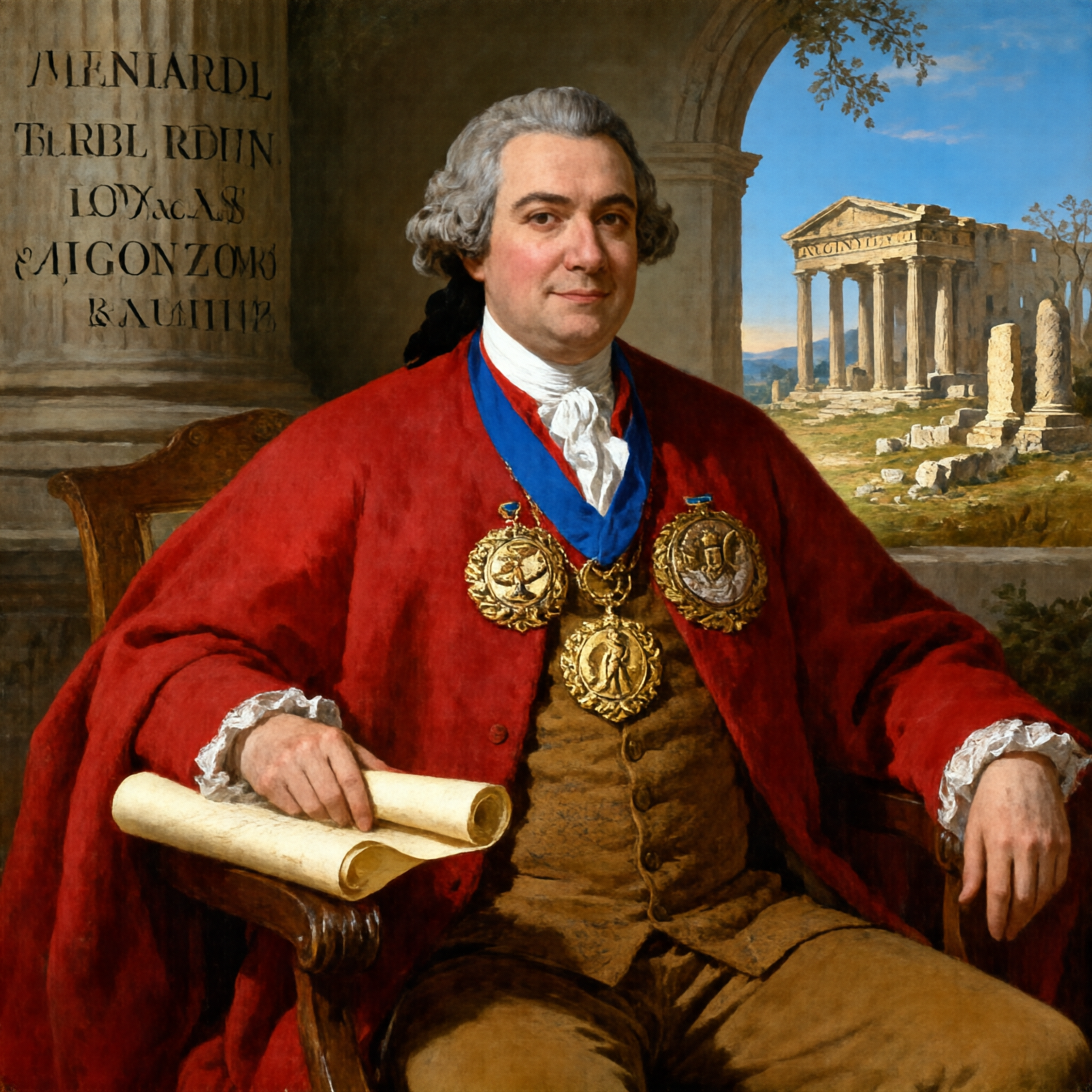 | — | A formal portrait depicts a man in 18th-century attire seated with a scroll, wearing a red cloak and ornate medals, against a classical landscape with ancient ruins and inscriptions. | T2I | 2048×2048 | 61.7 s | ~65 s | 37.8 GB | 66.4 | Baseline quality (official prompt) |
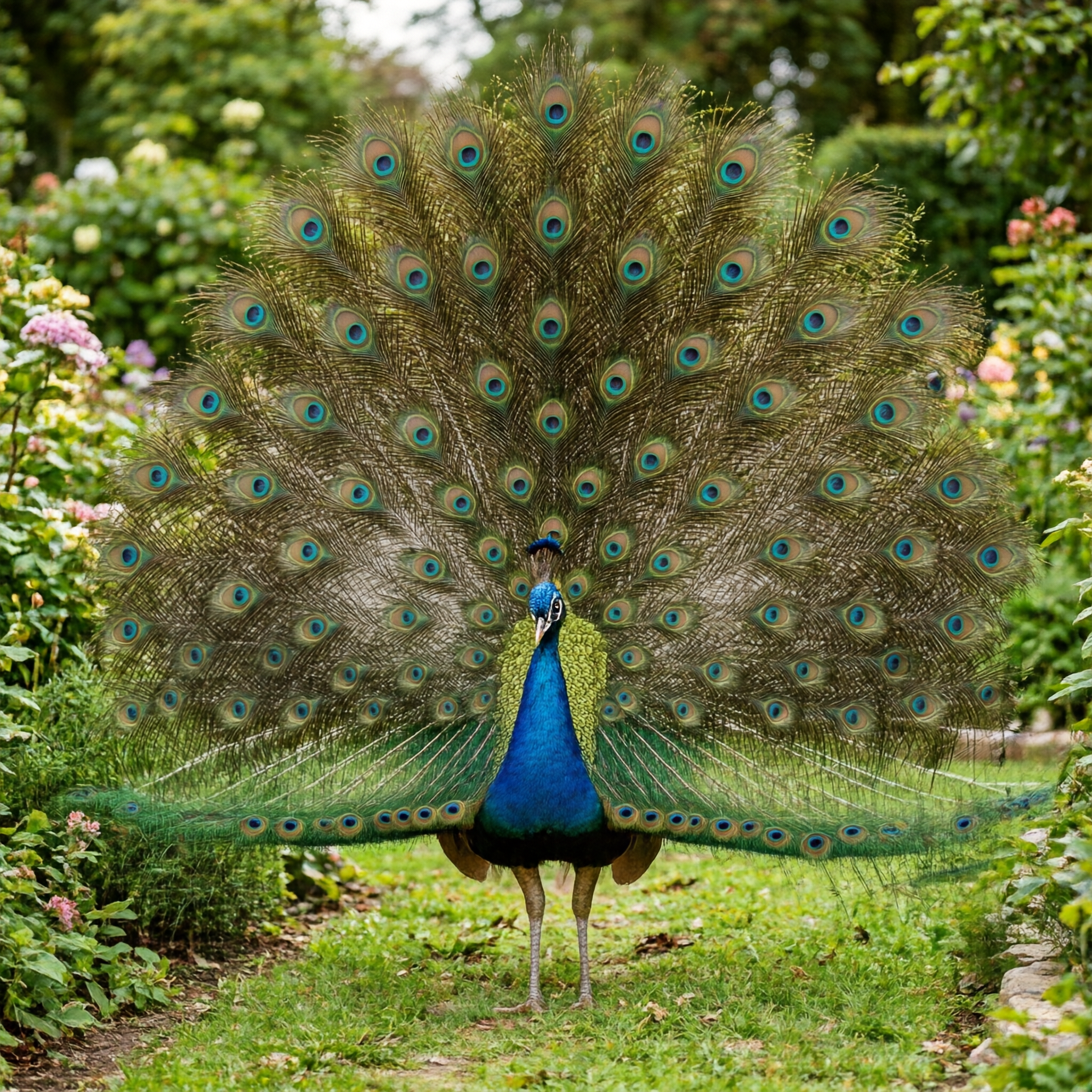 | — | A male peacock trying to attract a female (thinking / reasoning enabled) | T2I + think | 2048×2048 | 68.3 s | 75 s | 37.8 GB | 60.0 | Reasoning chain + matching image |
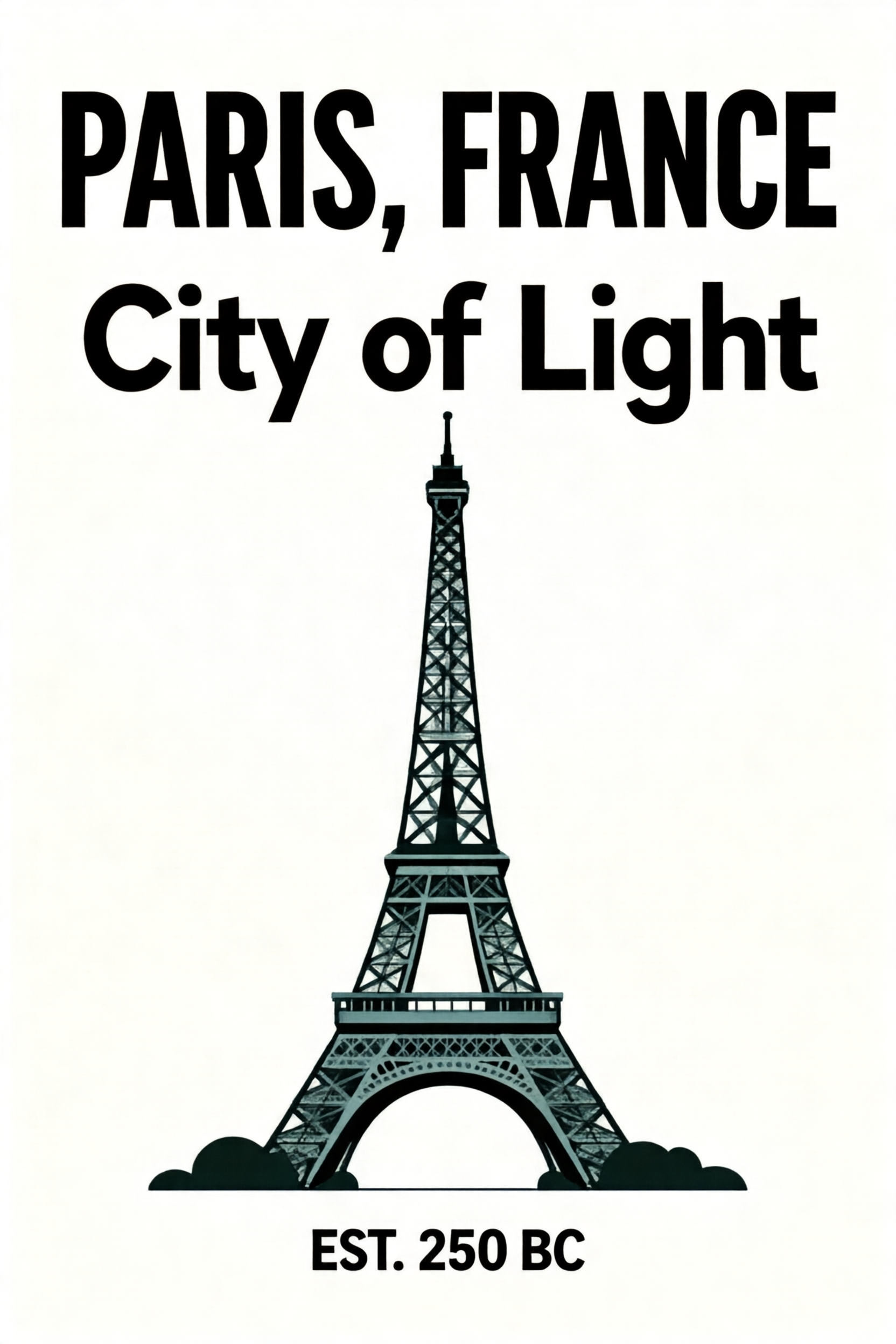 | — | Create a minimalist travel poster. Exact copy only: bold sans-serif title 'PARIS, FRANCE' at the top, a wide subtitle 'City of Light' below it, and a small caption 'EST. 250 BC' near the bottom. Clean Eiffel Tower illustration in the center, muted retro palette. | T2I text | 1664×2496 | 61.8 s | 68 s | 38.0 GB | 65.7 | Exact English copy legible |
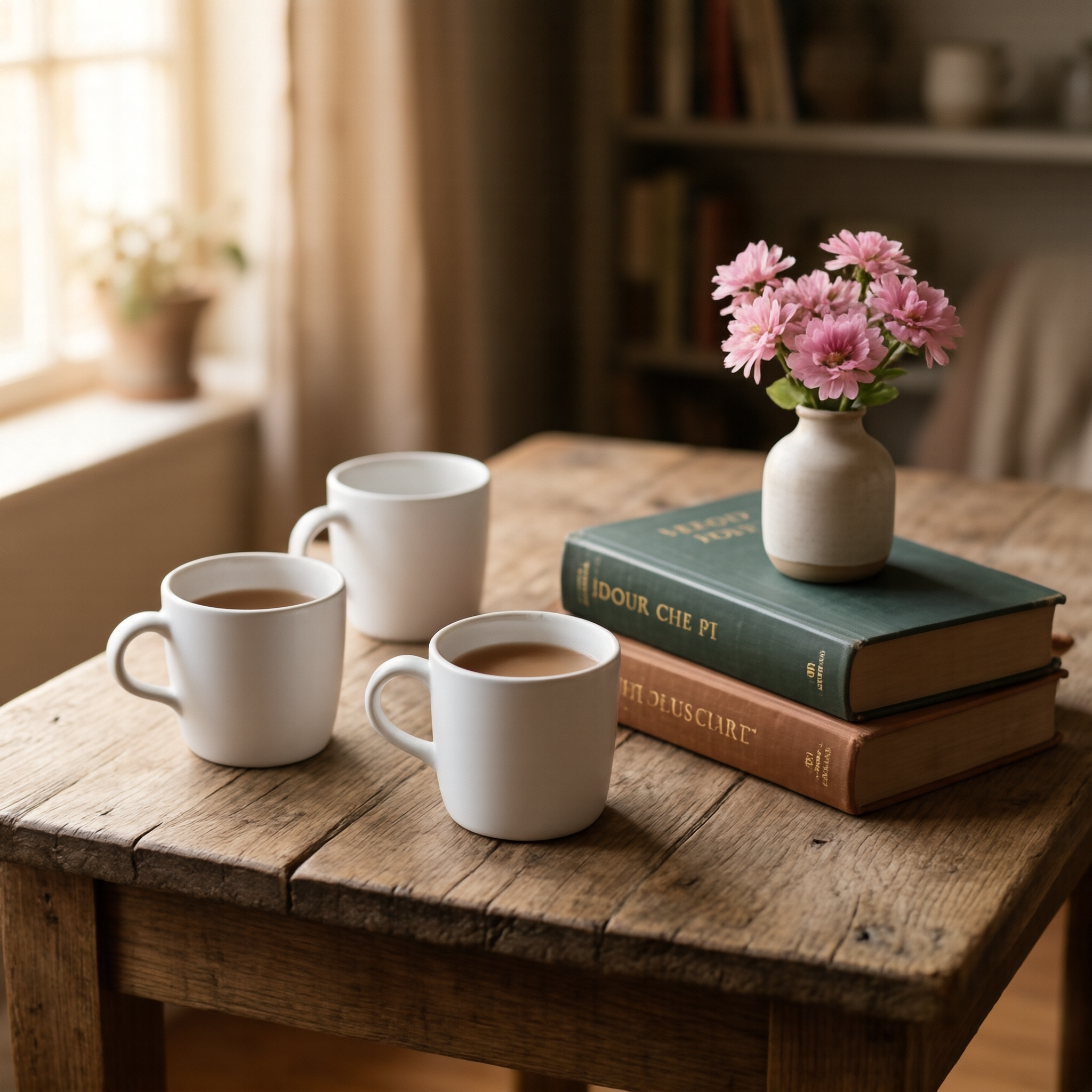 | — | A photo-realistic still life on a rustic wooden table: exactly three white ceramic cups, two hardcover books stacked directly on top of each other, and a single small vase with pink flowers. | T2I | 2048×2048 | 62.1 s | 69 s | 37.8 GB | 66.0 | Counts / layout constraints held |
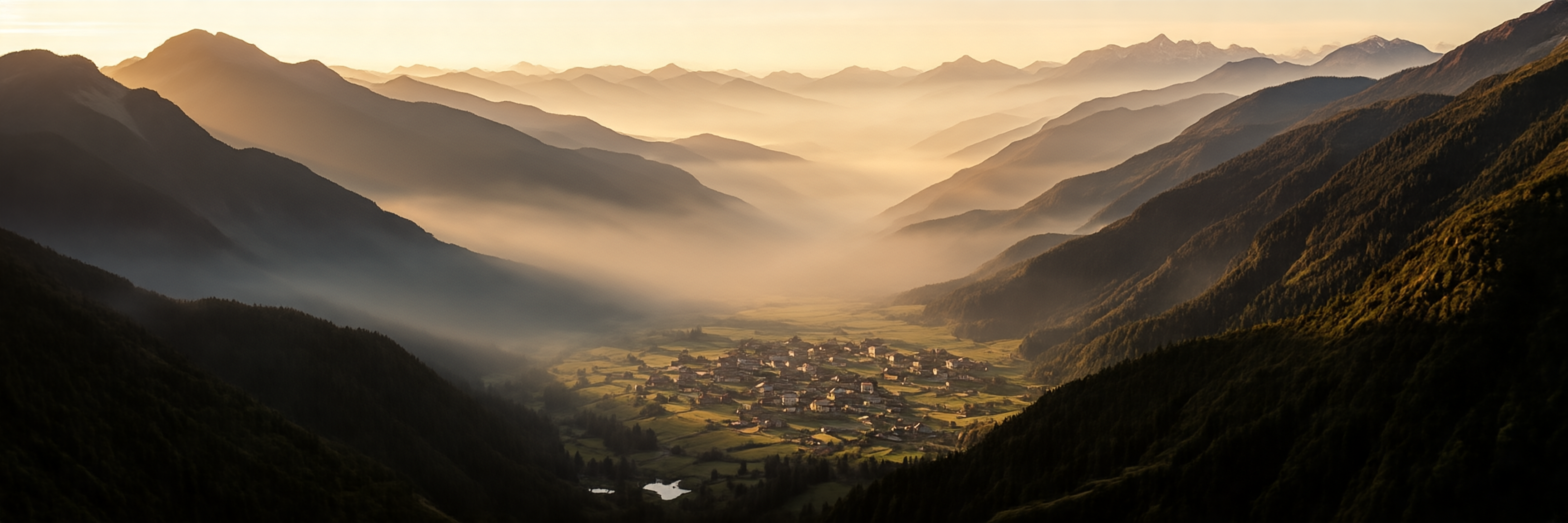 | — | A sweeping cinematic panoramic view of a misty mountain valley at sunrise, layered ridges fading into atmospheric haze, a small alpine village in the valley floor, dramatic golden light. | T2I | 3456×1152 | 58.9 s | 65 s | 37.9 GB | 66.0 | High-res; clean global structure |
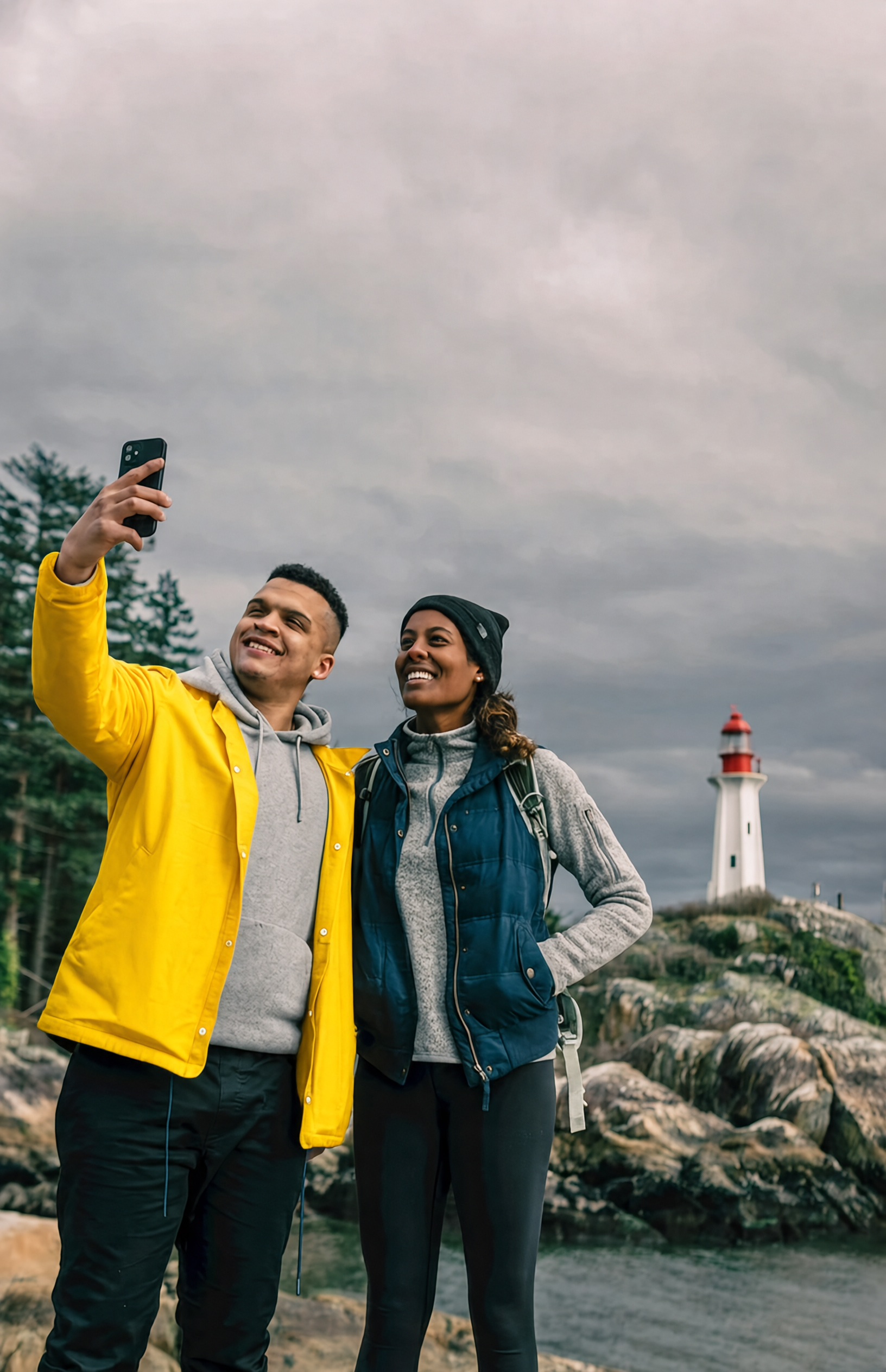 | 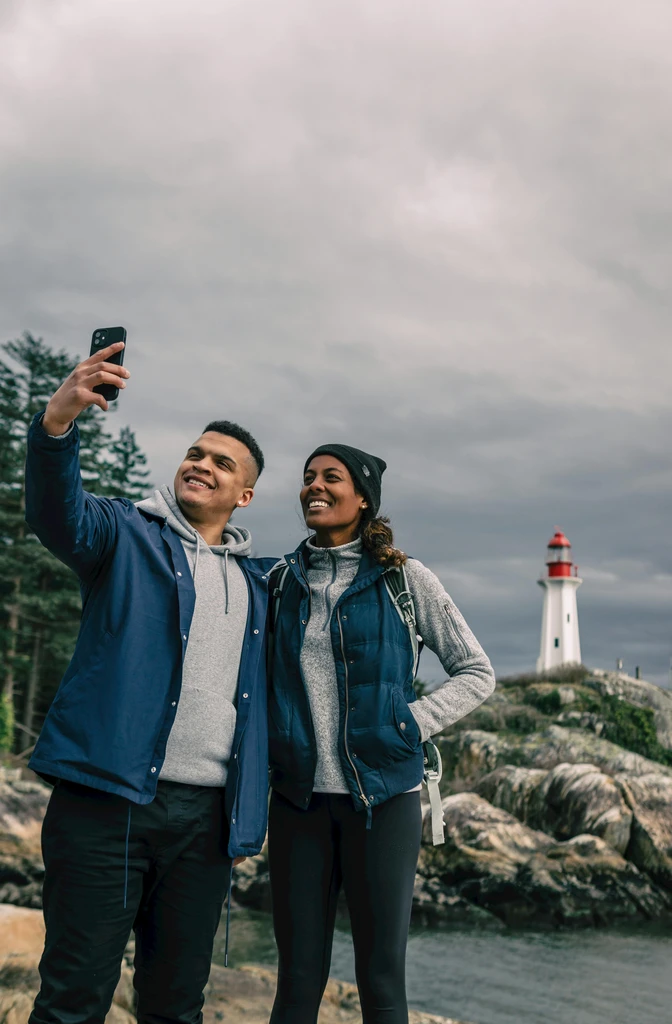 | Change the jacket of the person on the left to bright yellow. | Editing | auto (~1632×2528) | 71.4 s | 80 s | 42.6 GB | 56.4 | Subject / background preserved |
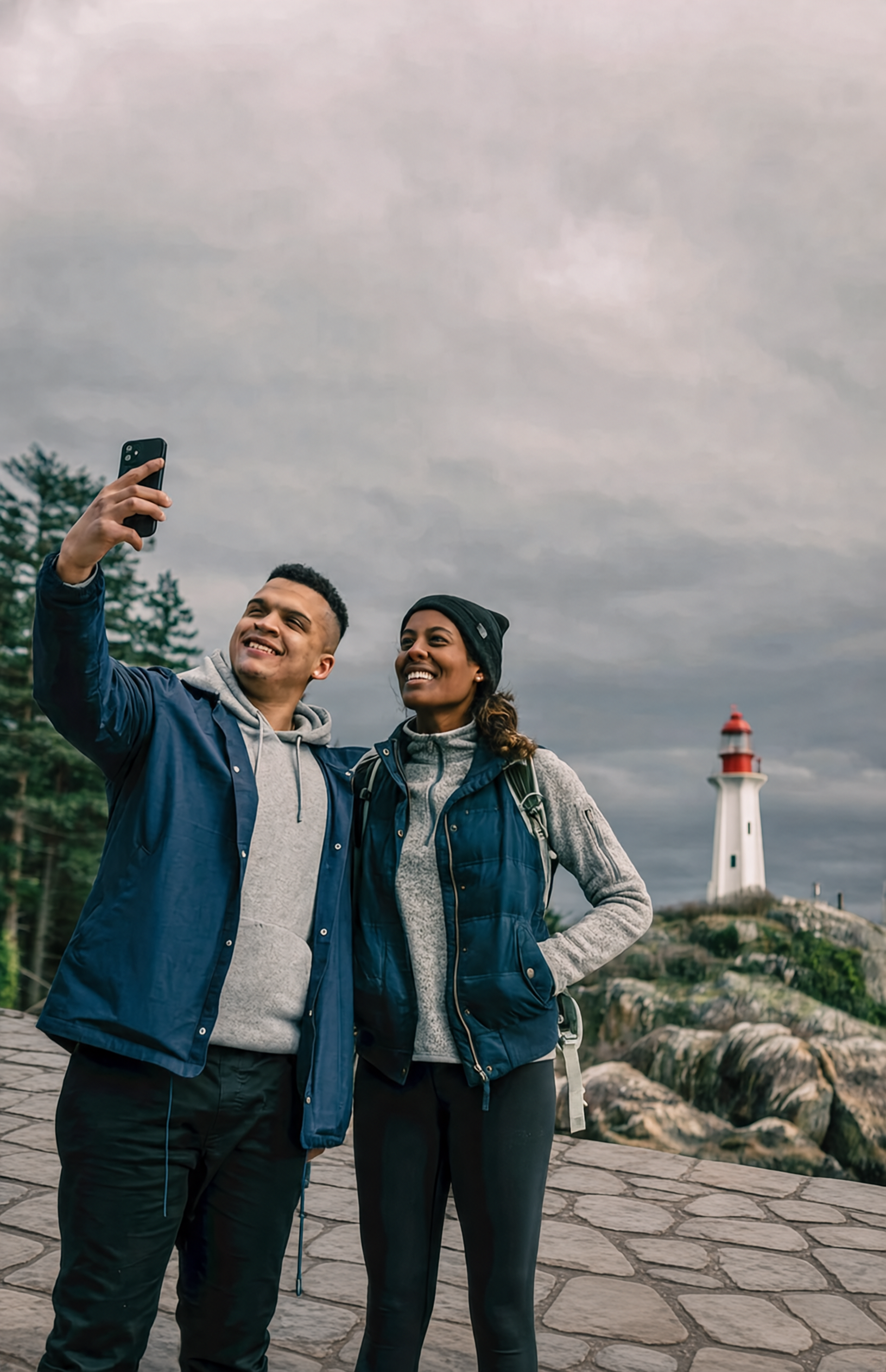 | | Change the wooden floor to stone tiles while preserving the people, their clothing, the furniture, the lighting, and the framing. | Editing | auto | 71.5 s | 79 s | 42.7 GB | 56.4 | Preservation-heavy edit |
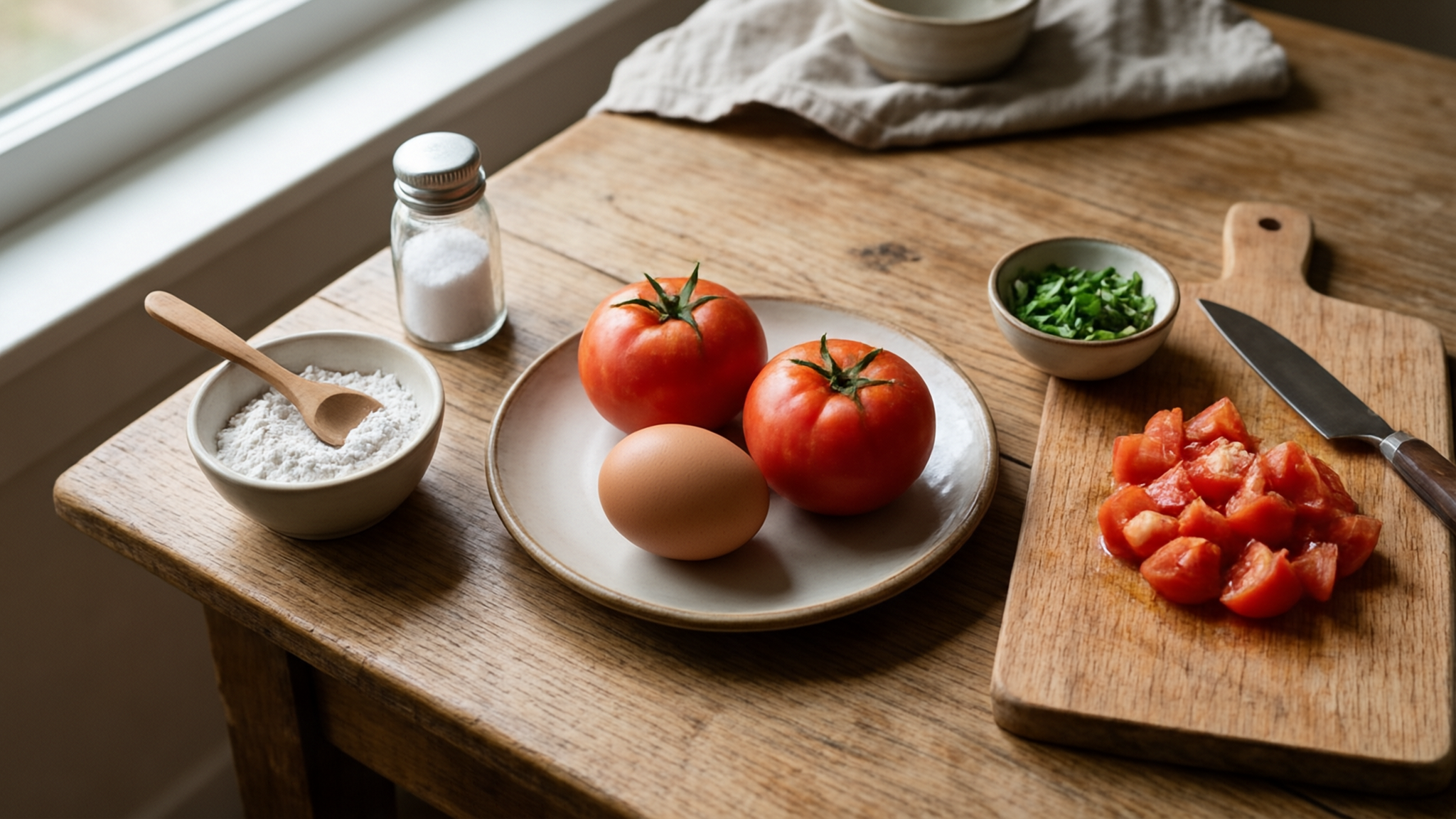 | — | I want to learn how to cook tomato and egg stir-fry. Please give me a beginner-friendly illustrated tutorial. | Interleave | 2048×1152 ×7 | 2042 s | 2051 s | 43.8 GB | 7.9 | 7-image guide; runs under layer offload |
| Menu recommendation (text output) | menu.jpg | Recommend a balanced meal for two from this menu, budget-conscious but with highlights. | VQA | — | 39.2 s | 45 s | 41.7 GB | — | Reads the menu; saved as vqa_menu_answer.txt |
Comparison with similar models
On the Qwen-Image-Bench scores SenseTime publishes, U1.5-Preview with Prompt-Enhance lands close to open-source leaders (about 55 overall) and well above the original U1 (~48), while staying clearly behind closed models like GPT Image 2 (~65). In my own qualitative testing, the honest comparison is:
- vs. Qwen-Image / Qwen-Image-Edit: U1.5 Lite is a cleaner single-checkpoint experience for editing — the "change this one thing, keep everything else" behavior was more reliable here than typical Qwen-Image-Edit runs I've seen. It also rendered text cleanly.
- vs. FLUX.1 / SDXL-based pipelines: For text-in-image and infographic work, there is no contest — U1.5 Lite is dramatically better at rendering specified copy. For pure photographic latitude and image diversity per seed, FLUX-based models still give you a different, often more "photographic" feel and much larger ecosystems.
- vs. GLM-Image and HunyuanImage: These are the closest general-purpose rivals on the same bench. U1.5 Lite's differentiator is the unified editing + interleaved generation + understanding in one ~17 B bf16 model, which is rarer than a great T2I-only model.
- vs. hosted models (GPT Image, Gemini/Nano Banana): Those are both better and more convenient, but they are closed and metered. For local, private, no-per-image-cost generation, U1.5 Lite is a strong open option.
The practical recommendation: choose U1.5 Lite if your priority is legible text, infographics/posters, and reliable local editing on your own GPU. Choose a FLUX-family or hosted model if you want maximum photographic variety per prompt and don't care about text fidelity.
Model capability profile
Strengths (all verified by running it):
- Excellent English text rendering for clear, primary copy.
- Reliable image editing with strong subject and unedited-region preservation.
- Coherent single-checkpoint generation across T2I, editing, interleaved guides, and VQA.
- Native 4K-range (16.7 M pixel) output with clean global structure.
- Genuine reasoning ("think") pass that improves compositional prompts.
- Simple, well-documented uv-based install; Apache 2.0 weights.
Boundaries / limitations (also verified or officially disclosed):
- Small or incidental text is unreliable. Book spines, engraved inscriptions, dense small text, and mixed-language microcopy can come back as realistic gibberish. Primary headline copy is usually fine.
- Interleaved multi-image generation is memory- and time-hungry. It OOMs in full-res mode at ~44 GB of VRAM and requires layer offload (or quantization), which multiplies generation time roughly 8×.
- Human fine details (small faces, hands, limbs) can still be unstable in busy scenes — the official notes say so, and it matches what I saw.
- Curated layouts are approximate. Exact counts, alignment, and hierarchy in very constrained or dense layouts may be imperfect despite honoring the broad rules.
- Resolution cost. Because bf16 full-res needs ~38 GB for a single 2048² image, low-VRAM users must use GGUF or
--vram_mode, which trades speed for memory.
Good fits: infographics and posters with specified copy; product shots and catalog work; targeted photo edits (recolor an object, change a material, fix a region); illustrated step-by-step guides; local/private generation with no per-image cost.
Not a good fit: pixel-perfect dense small text; very tight multi-page layout fidelity; low-VRAM fast pipelines without quantized weights; cinematic multi-shot interleaved videos (that's a different feature set).
Safety and governance notes
This is a general-purpose image generator. It can create realistic scenes and edit real photos, which means the same risks as any such model: potential for misleading imagery or edits to real people. Use it for legitimate creative and editorial work, get consent before editing identifiable individuals, and treat generated imagery as synthetic. The weights are licensed under Apache 2.0, which is permissive for most commercial and research use; check the license and the upstream data terms for your specific deployment.
Scorecard
| Dimension | My rating | Notes |
|---|---|---|
| Base image quality | ★★★★★ | Coherent, photoreal, no artifacts |
| Text rendering | ★★★★★ | Best-in-class for open models |
| Image editing / preservation | ★★★★☆ | Strong; occasional region drift |
| Complex instruction following | ★★★★☆ | Counts/layout mostly honored |
| High-resolution / 4K | ★★★★☆ | Clean 3:1; true 4K×4K is tight |
| Interleaved generation | ★★★☆☆ | Works, but needs ~44 GB of VRAM |
| Visual understanding (bonus) | ★★★★☆ | Good structured answers |
| Ease of setup | ★★★★★ | uv sync + one download |
| Resource cost | ★★★☆☆ | ~38 GB full-res; needs offload |
| Reproducibility | ★★★★☆ | Docs match the working commands |
Installation and setup
Environment table:
| Component | Value |
|---|---|
| Python | 3.11 |
| PyTorch / CUDA | 2.8.0 (CUDA 12.8) |
| GPU | A single CUDA GPU with ~24–48 GB of VRAM |
| VRAM (bf16 full) | ~38 GB for a single 2048² image |
| Package manager | uv (recommended) |
| Model size | ~33 GB (bf16, ~17 B params) |
1. Clone and install with uv (this is exactly what worked):
git clone https://github.com/OpenSenseNova/SenseNova-U1.git
cd SenseNova-U1

# Python 3.11 with PyTorch 2.8 (CUDA 12.8 build)
uv --project . sync --locked
source .venv/bin/activate
If your CUDA driver is older than 12.8, change the index in pyproject.toml to https://download.pytorch.org/whl/cu126 and adjust the pinned torch/torchvision versions before uv lock.
For a plain-pip environment (no uv), install from the generated requirements.txt, then install the package itself without re-resolving:
python -m venv .venv && source .venv/bin/activate
python -m pip install -r requirements.txt
python -m pip install -e . --no-deps
Model download
The checkpoint sensenova/SenseNova-U1.5-8B-MoT is published on both Hugging Face and ModelScope. For most users the Hugging Face route is the standard one:
# 1) install the huggingface_hub tooling (already present in the venv)
uv pip install huggingface_hub

# 2) download the checkpoint
hf download sensenova/SenseNova-U1.5-8B-MoT --local-dir path/to/SenseNova-U1.5-8B-MoT
Or in Python:
from huggingface_hub import snapshot_download
snapshot_download("sensenova/SenseNova-U1.5-8B-MoT", local_dir="path/to/SenseNova-U1.5-8B-MoT")
If you are in a region where the ModelScope mirror is faster (this is where I pulled the weights for my test):
modelscope download --model SenseNova/SenseNova-U1.5-8B-MoT \
  --local_dir path/to/SenseNova-U1.5-8B-MoT
How to run the demo
Text-to-image:
export CUDA_VISIBLE_DEVICES=0

python examples/t2i/inference.py \
  --model_path path/to/SenseNova-U1.5-8B-MoT \
  --prompt "A formal portrait depicts a man in 18th-century attire seated with a scroll, wearing a red cloak and ornate medals, against a classical landscape with ancient ruins and inscriptions." \
  --width 2048 --height 2048 --seed 42 --num_steps 50 --cfg_scale 4.0 \
  --output output.png --profile
Image editing (add --compare to save a before/after):
python examples/editing/inference.py \
  --model_path path/to/SenseNova-U1.5-8B-MoT \
  --image your-photo.webp \
  --prompt "Change the jacket of the person on the left to bright yellow. Preserve the faces, pose, background, lighting, and framing." \
  --output edited.png --compare \
  --cfg_scale 4.0 --img_cfg_scale 1.0 --num_steps 50
Reasoning mode (--think):
python examples/t2i/inference.py \
  --model_path path/to/SenseNova-U1.5-8B-MoT \
  --prompt "A male peacock trying to attract a female" \
  --width 2048 --height 2048 --seed 42 --num_steps 50 --cfg_scale 4.0 \
  --think --print_think --output output.png
Interleaved guide (add --vram_mode fast to avoid OOM):
python examples/interleave/inference.py \
  --model_path path/to/SenseNova-U1.5-8B-MoT \
  --prompt "I want to learn how to cook tomato and egg stir-fry. Please give me a beginner-friendly illustrated tutorial." \
  --resolution "16:9" --vram_mode fast \
  --output_dir outputs/interleave/ --stem tutorial
Visual understanding:
python examples/vqa/inference.py \
  --model_path path/to/SenseNova-U1.5-8B-MoT \
  --image menu.jpg \
  --question "Recommend a balanced meal for two from this menu, budget-conscious but with highlights." \
  --output answer.txt --max_new_tokens 1024 \
  --do_sample --temperature 0.6 --top_p 0.95 --top_k 20 --repetition_penalty 1.05
If you want to reason about a prompt before drawing, or you run out of memory on a lower-VRAM card, lower the resolution to a trained bucket, set --vram_mode fast, or point --gguf_checkpoint at a quantized GGUF file.
FAQ
1. What is SenseNova U1.5 Lite?
It is the lightweight open checkpoint of SenseTime's SenseNova-U1.5 native unified multimodal model (SenseNova-U1.5-8B-MoT, ~8B MoT, about 17 B parameters in bf16). It does text-to-image, image editing, interleaved text+image, and visual understanding in one model, using the NEO-unify (no-VAE/no-encoder) architecture.
2. How much GPU does it need?
For a single 2048×2048 image in bf16 with no offload, about 38 GB of VRAM. Editing peaks ~42 GB. On a 24 GB card, use a GGUF quantized checkpoint or a --vram_mode fast/low layer offload.
3. How long does one image take?
On a high-end consumer GPU, ~60–70 s for a 2048×2048 image at 50 steps (plus ~3.7 s model load on first use). The 8-step LoRA model is released for faster inference if you want it.
4. How do I download the model?
From Hugging Face (sensenova/SenseNova-U1.5-8B-MoT) or the ModelScope mirror. Both routes are shown above.
5. Is it good at text?
Yes for clear, primary copy in English — this is its standout feature. Dense, small, or incidental text (book spines, background inscriptions) can still be realistic-looking gibberish.
6. Can it edit a real photo and keep everything else the same?
Generally yes. It preserved subjects, faces, backgrounds, and framing in my recoloring and preservation tests, which is better than most open editors. Complex multi-region edits can still drift.
7. How does it compare to Qwen-Image or FLUX?
For text fidelity and editing, it beats them; for raw photographic variety and ecosystem breadth, FLUX-based pipelines remain strong. Details are in the comparison section.
8. Is it free / open?
The weights are released under Apache 2.0. You can run it locally for free (no per-image cost), though it is computationally heavy.
Source notes
- Official repository: OpenSenseNova/SenseNova-U1
- Model card (Hugging Face): sensenova/SenseNova-U1.5-8B-MoT
- Architecture blog: NEO-unify
- U1.5 best-practices / cookbook (official): docs/u1.5_best_practices.md
- Official U1.5 overview: docs/u1.5_preview.md
- Installation guide: docs/installation.md
All benchmark numbers referenced are the model author's published results. The runtime measurements and generated outputs in this article come from my own deployment and runs on a single consumer GPU.