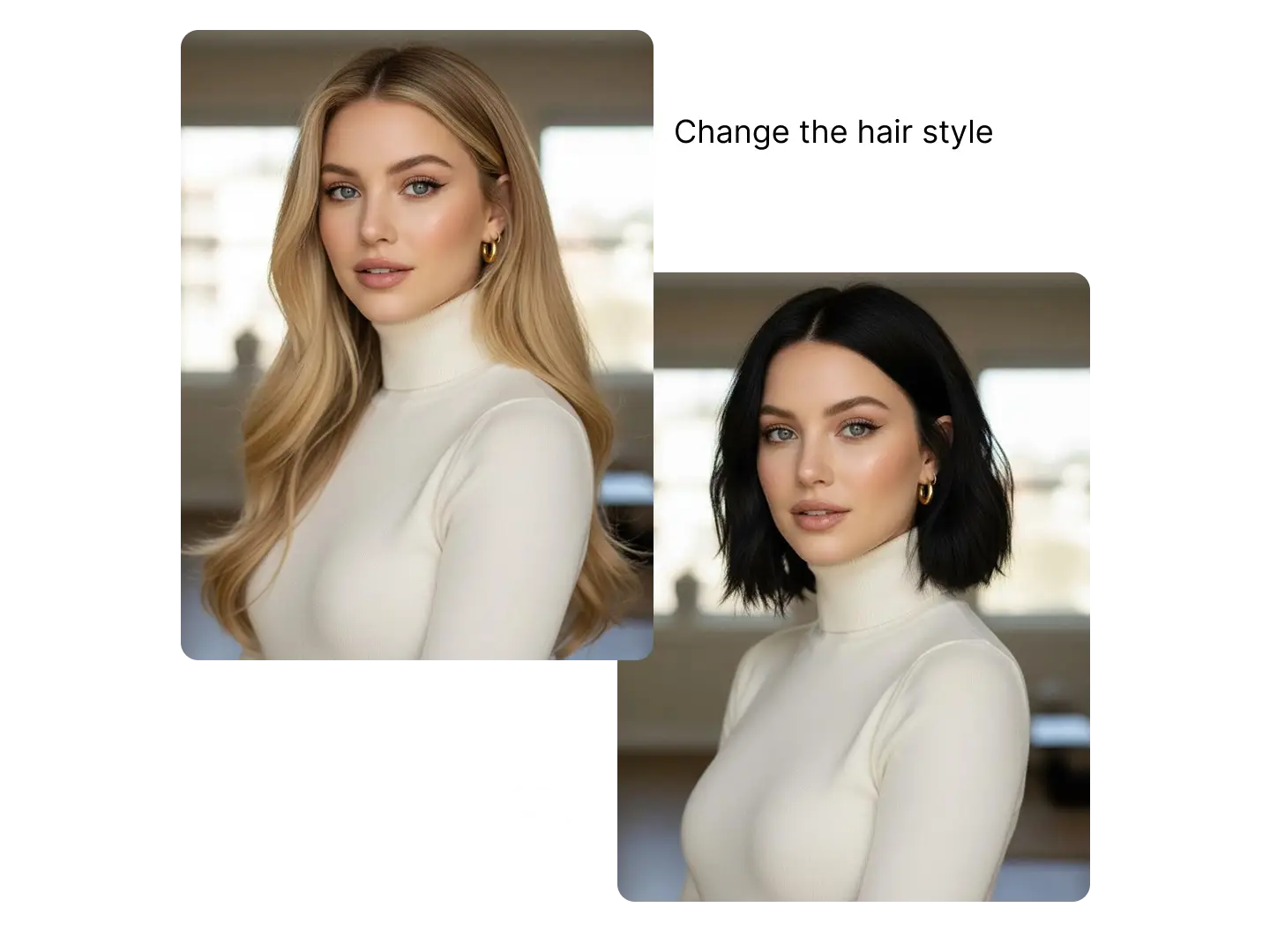
Powered by ByteDance Seedream 5.0

Seedream 5.0 Pro AI Image Generator:Create 4K Images in Your Browser

Create production-ready images with interactive precision editing, flexible multi-layer separation, high-density information layouts, and native multilingual text generation.

Try Seedream 5.0 Pro AI Image Generator

Type a prompt, upload reference images, choose 2K or 4K output, and create production-ready visuals directly in your browser.

What is Seedream 5.0 Pro?

Seedream 5.0 Pro is a browser-based AI image generation and editing workspace built around ByteDance's Seedream 5.0 model family. It is designed for production teams that need precise visual edits, editable layers, dense information design, multilingual text, and high-resolution image output without managing APIs.

Instead of relying only on prompt rewriting, Seedream 5.0 Pro supports interactive editing intent: mark a region with an arrow, circle, box, or rough sketch, then describe the change. This makes it useful for ad creative, interior design, product imagery, concept drafts, and line-art-to-final workflows.

The workflow also emphasizes flexible multi-layer separation. You can isolate a word, a line of text, an object, a product area, or a full layout block, then move, scale, and refine that layer independently.

For content-heavy visuals, Seedream 5.0 Pro helps create clear diagrams, educational picture books, e-commerce page concepts, science infographics, and PPT-style layouts. Native multilingual text generation supports 10+ languages while adapting typography and layout style to each language context.


Key Seedream 5.0 Pro Features
for Production Workflows

Upcoming upgrades focus on precise editing, editable layers, information-rich layouts, and native multilingual text.

01

Interactive Precision Editing

Draw an arrow, circle a region, or sketch a rough layout directly on the image. Seedream 5.0 Pro can understand the visual instruction and apply targeted edits for ads, interior design, concept drafts, and line-art-to-final workflows.

Interactive Precision Editing example
02

Flexible Multi-Layer Separation

Separate any selected area into editable layers by prompt or box selection. Split a single word, one line of text, an object, or an entire layout block, then move, resize, and refine each layer independently.

Flexible Multi-Layer Separation example
03

High-Density Information Design

Create images that carry complex information clearly: detailed charts, layered structures, full-page PPT-style layouts, educational picture books, e-commerce pages, and science infographics.

High-Density Information Design example
04

Native Multilingual Text Generation

Generate readable text in 10+ languages including English, Spanish, Arabic, Japanese, Korean, and Chinese, while adapting typography, layout habits, and visual style to each cultural context.

Native Multilingual Text Generation example

See Seedream 5.0 Pro in Action

Explore production-style image outputs across posters, characters, product visuals, and information-rich layouts.

Seedream 5.0 Pro showcase output 1
Seedream 5.0 Pro showcase output 2
Seedream 5.0 Pro showcase output 3
Seedream 5.0 Pro showcase output 4
Seedream 5.0 Pro showcase output 5
Seedream 5.0 Pro showcase output 6
Seedream 5.0 Pro showcase output 7
Seedream 5.0 Pro showcase output 8
Seedream 5.0 Pro showcase output 9

How to Use Seedream 5.0 Pro
in 3 Steps

Go from blank prompt to downloadable 4K still in under five minutes. No local install, no API key, no design software required.

1

Write Your Prompt or Upload References

Write a prompt, upload an image, or mark the exact area you want to change with an arrow, circle, box, or rough sketch.

2

Set Output Options

Choose text-to-image, image editing, layer separation, dense information design, or multilingual text generation based on your production task.

3

Generate, Refine, and Download

Generate, refine individual layers or regions, and download a watermark-free PNG or JPG ready for production on paid plans.

Seedream 5.0 Pro vs GPT Image 2
and Other AI Image Generators

Seedream 5.0 Pro competes on reasoning, search-aware generation, and edit precision, not just aesthetic style. Comparison based on publicly available information; competitor features may change.

FeatureSeedream 5.0 ProGPT Image 2Nano Banana Pro
Interactive precision editingDraw arrows, circles, boxes, and sketchesPrompt and image-based editsPrompt-based edits
Layer separationSeparate any selected object, text, or layout blockImage editing, no explicit layer workflowLimited
Dense information layoutsCharts, diagrams, PPT-style pages, and infographicsStrong layout and text generationModerate
Native multilingual text10+ languages with cultural typography awarenessStrong multilingual text renderingModerate
Browser workflowNo API setup, credit-based accessChatGPT and API workflowDeveloper-focused

Seedream 5.0 vs GPT Image 2: Pick Seedream 5.0 Pro when you need browser-based credit access, interactive edit marks, layer-style separation, and dense production layouts.

Seedream 5.0 vs Nano Banana Pro: Both target high-quality generation, but Seedream 5.0 adds explicit web retrieval and example-based editing for knowledge-heavy briefs.

Why Choose Seedream 5.0 Pro
Over Generic AI Image Tools?

01

Edit by Marking the Image

Circle a region, draw an arrow, or sketch a rough idea. Seedream 5.0 Pro turns visual instructions into precise image edits for ads, interiors, product shots, and design drafts.

02

Separate Any Layer You Need

Split a word, a line of text, an object, a person, or a full layout block into editable layers, then move, scale, and refine the parts independently.

03

Built for Dense Production Layouts

Create clear infographics, knowledge cards, e-commerce pages, science diagrams, and PPT-style visuals where information density and readability matter.

Edit in plain language. Describe the change; Seedream 5.0 Pro applies it while preserving non-edited regions better than earlier Seedream releases.

Credit pricing that scales. One-time credit packs start at $9.9 with no mandatory monthly subscription. Choose Starter, Pro, or Ultimate based on your output volume.

Seedream 5.0 Pro Use Cases
for Every Creative Workflow

E-Commerce Teams

Create product heroes, lifestyle scenes, annotated selling points, and campaign variants with editable image regions and layered layouts.

Social Media Creators

Produce 1:1 feed posts, 9:16 stories, and thumbnail frames with native multilingual text and clean layout hierarchy.

Brand & Marketing Designers

Spin up ad variants from a single brief: mark exact areas to edit, separate layers, revise headline copy, and preserve brand composition.

Educators & Publishers

Build labeled diagrams, infographic panels, and poster-style study materials with structured layouts.

Game & Character Artists

Build character sheets, prop boards, and worldbuilding visuals with editable objects, labels, and multilingual annotations.

Agencies & Freelancers

Deliver client-ready comps faster with commercial licensing on paid credit plans.

Seedream 5.0 Pro Pricing

One-time credit packs. Commercial license and watermark-free downloads on all paid plans.

Starter Pack
$9.9one-time
  • 99 Credits
  • $0.10 per credit
  • 4K high-quality output
  • All Seedream 5.0 Pro features
  • One-time payment
Best Value
Pro Pack
$29.9one-time
  • 330 Credits
  • $0.09 per credit
  • 4K high-quality output
  • All Seedream 5.0 Pro features
  • One-time payment
  • Best value
Ultimate Pack
$49.9one-time
  • 830 Credits
  • $0.06 per credit
  • 4K high-quality output
  • All Seedream 5.0 Pro features
  • One-time payment
  • Maximum savings
7-Day Refund
Money-back guarantee
Secure Payment
Powered by Stripe
24/7 Support
Always here to help

One-time credit packs - flexible payment options

One-time paymentCredits for 2K and 4K generationSecure paymentsEmail support

Seedream 5.0 Pro
FAQ

Common questions about Seedream 5.0 Pro — the model, the platform, pricing, and comparisons.

What is Seedream 5.0 Pro?

Seedream 5.0 Pro is a web-based AI image generation and editing workspace powered by ByteDance's Seedream 5.0 model. It focuses on interactive precision editing, flexible multi-layer separation, high-density information layouts, and native multilingual text generation.

Is Seedream 5.0 free to try on Seedream 5.0 Pro?

New accounts can purchase one-time credit packs starting at $9.9. Check the pricing section for Starter Pack, Pro Pack, and Ultimate Pack options. See pricing

What is interactive precision editing?

Interactive precision editing lets you draw an arrow, circle a region, box an area, or provide a rough sketch directly on the image. Seedream 5.0 Pro can understand the marked intent and apply targeted changes without rebuilding the whole image.

How does multi-layer separation work?

Seedream 5.0 Pro can separate selected image regions into editable layers by prompt or box selection. You can isolate a word, a line of text, a product area, a person, an object, or a full layout block, then move, scale, or refine it independently.

Can Seedream 5.0 Pro create dense information layouts?

Yes. Seedream 5.0 Pro is designed for high-density information expression such as diagrams, structured charts, educational picture books, e-commerce page concepts, science infographics, and PPT-style visual layouts.

Does Seedream 5.0 Pro support multilingual text in images?

Yes. The model supports native text generation in 10+ languages including English, Spanish, Arabic, Japanese, Korean, and Chinese, while adapting typography, layout habits, and visual style to each language context.

Does Seedream 5.0 Pro support 4K AI images?

Yes. Seedream 5.0 Pro is positioned for high-resolution production image workflows, including 4K image generation and editing in the browser.

Can I use Seedream 5.0 Pro outputs commercially?

Paid credit plans include a commercial use license and watermark-free downloads. Check the terms of service for full usage rights before client delivery. Terms of Service

Seedream 5.0 Pro vs GPT Image 2: which should I pick?

Choose Seedream 5.0 Pro for browser-based credit access, interactive editing marks, layer separation, dense information design, and native multilingual text. Choose GPT Image 2 when you want OpenAI image generation and editing through ChatGPT or the OpenAI API. See comparison table

What is Seedream 5.0 Pro pricing?

One-time credit packs are available at $9.9, $29.9, and $49.9. Starter Pack includes 99 credits, Pro Pack includes 330 credits, and Ultimate Pack includes 830 credits. View plans

Get Started with Seedream 5.0 Pro Today

Choose a credit pack, sign up, and get ready to create production-quality 4K stills with Seedream 5.0 Pro. No API keys, no local install.

Secure Stripe checkout - 7-day refund guarantee - Commercial license on paid plans - 24/7 email support